
PDF Editor with Presenter View for Windows
Upgrade PDF for Windows
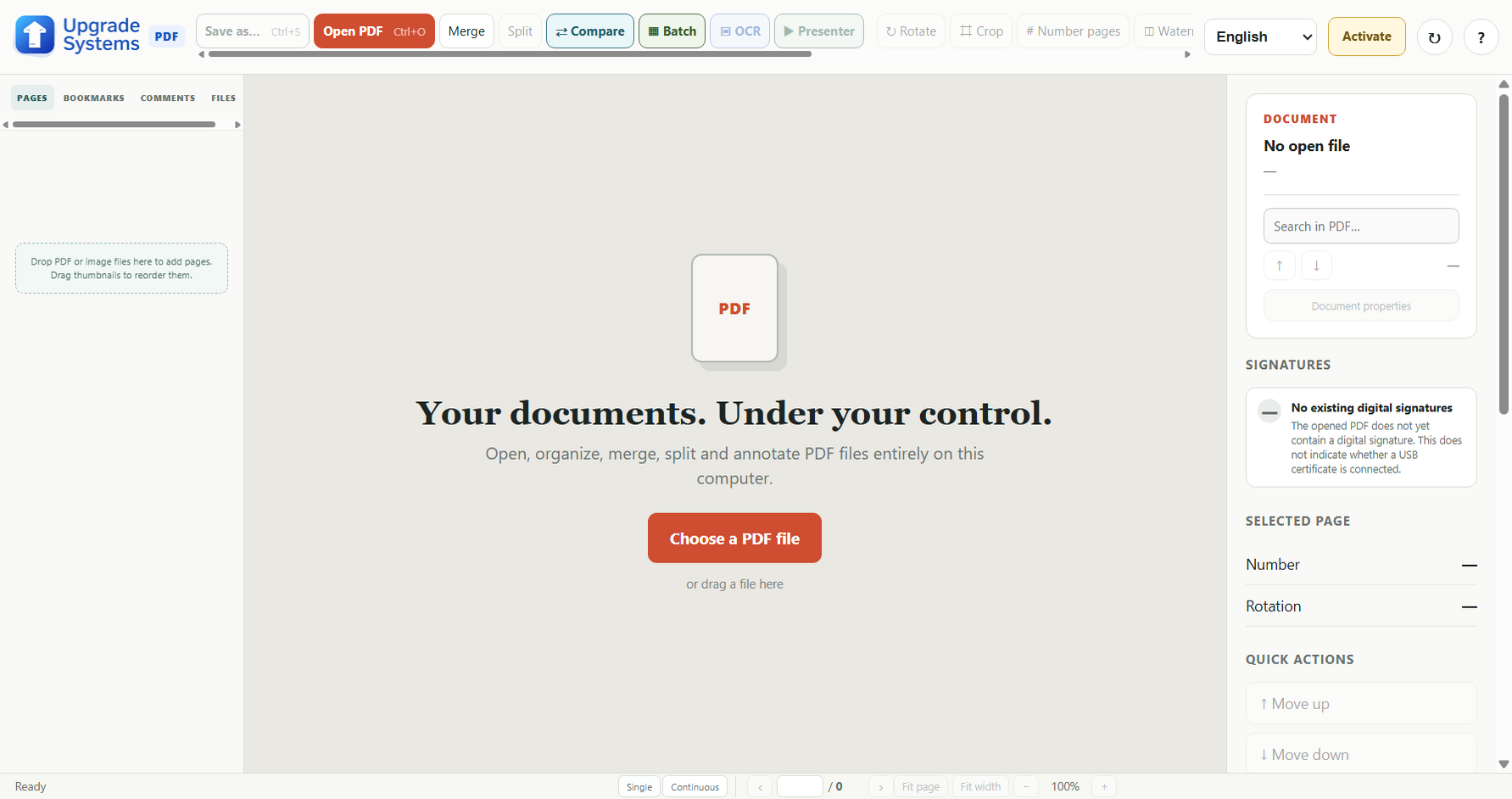
Edit text, recognise scanned pages, organise documents and present a PDF with private notes on one screen while your audience sees a clean page on another.
Windows desktop software · Local document processing · English interface with optional European language packs
PDF editing and Presenter View in one application
Edit PDF text
Select text on the page and edit it in the same window. Upgrade PDF identifies the PDF font where possible and suggests a visually close installed font when the original is unavailable. Adjust the position of a selected word or fragment and its letter spacing before applying the change.
OCR for scanned PDFs
Use Fast or Accurate OCR to recognise text on a scanned page or across a document. Scanned content needs recognition before text editing.
Organise and convert
Merge, split, reorder, extract and number pages. Convert between PDF, DOCX and JPG for common office workflows. Version 1.28.20 preserves each page’s top and bottom areas in real Word headers and footers while keeping the main text editable.
Present on a second screen
Presenter View shows the current and next PDF pages, private notes, a clock and timer on your display. The audience window shows only the PDF page on a projector or second monitor.
See the software
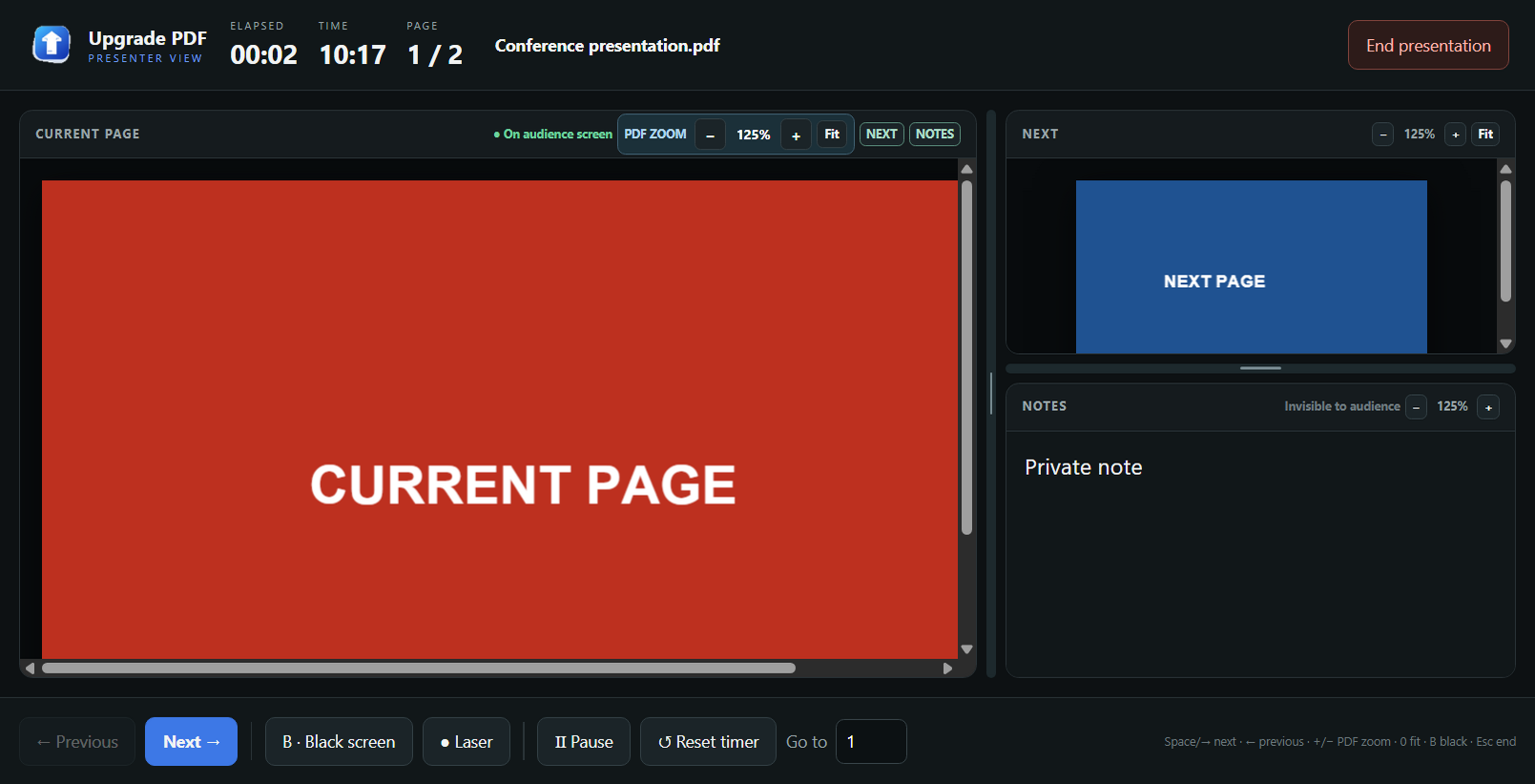
How to present a PDF on two displays
- Connect a projector or second monitor and select Extend these displays in Windows.
- Open your PDF in Upgrade PDF Pro or the 14-day Trial and select Presenter.
- Choose the audience display. You control the presentation from your screen while the audience sees the PDF without your notes or timer.
With one display, you can open both windows side by side to rehearse. Read the Presenter View guide and second-screen setup instructions.
Choose the edition that fits your work
14-day Trial — €0
Try the full Pro feature set, including text editing, OCR and Presenter View. No purchase is required to start.
Pro — €30 for 365 days, VAT included
Keep the editing, OCR and presenting tools after the trial. Checkout uses bank transfer; the license is activated after payment confirmation.
Need only basic viewing and printing? Upgrade PDF Free is also available.
Common questions
Can I edit every PDF?
Some protected or unusually structured PDFs cannot be changed safely. Upgrade PDF checks the result before saving and offers DOCX export when safe replacement is not possible. Scanned pages require OCR first.
What if the original font is missing?
The editor warns you and suggests a close installed text font. You can review the proposed appearance before applying the edit.
Will the audience see my notes?
No. Presenter View keeps notes, controls and timer on your display; the audience window shows the PDF page.